Apple Podcasts

Listen, watch, or read. Now we’re talking.

Enjoy the shows you like, the way you like, with the app built just for podcasts. Discover immersive stories with video,1 unlock premium content, and customize your experience with new playback controls and Enhance Dialogue.2 Everything syncs across your Apple devices so you never miss a moment, at home or on the go.3

Open the app
Four oval rings with a deep purple gradient that gets darker as it gets further from the center ring.

Handpicked.
For every passion.

Immerse yourself in stories that will challenge your mind and capture your heart. Explore new interests and stay on top of what’s trending. Our global catalog features leading voices on the topics you care about — from the biggest names to independent creators.

Hello, video.

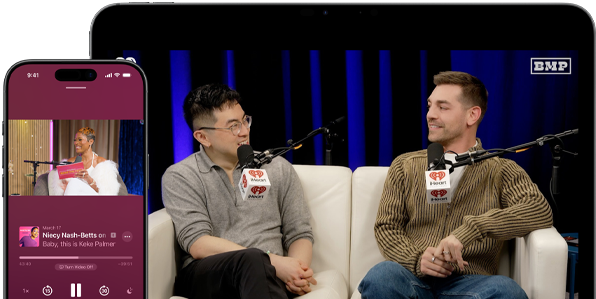
Watch podcasts in full screen, go Picture in Picture while multitasking, and seamlessly switch to audio whenever you want. Video quality adapts to your connection when you’re on the move — so you enjoy smooth playback wherever you go.1

A video podcast episode playing on screen in Apple Podcasts
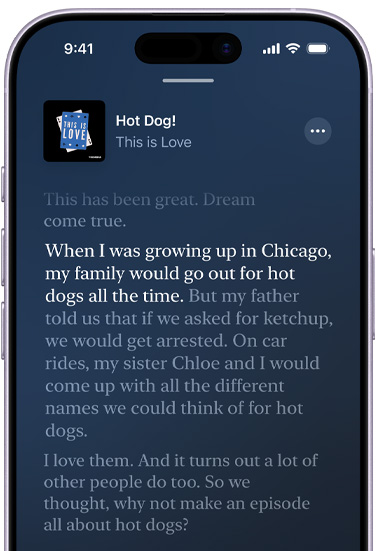
iPhone, front exterior, screen shows a transcript in Apple Podcasts for an episode called Hot Dog from the podcast This is Love, hosted by Phoebe Judge, highlighted text in the transcript reads: "When I was growing up in Chicago, my family would go out for hot dogs all the time," surrounding transcript text is dimmed.

Transcripts put it all in writing.

Read along as you listen to podcasts, or view the full text on its own. Search to find your favorite moments, explore by chapter, or tap a paragraph to jump to that point in an episode.4 And dive deeper into the conversation with timely, related content that appears right in the transcript.

Precise audio control.
You heard that right.

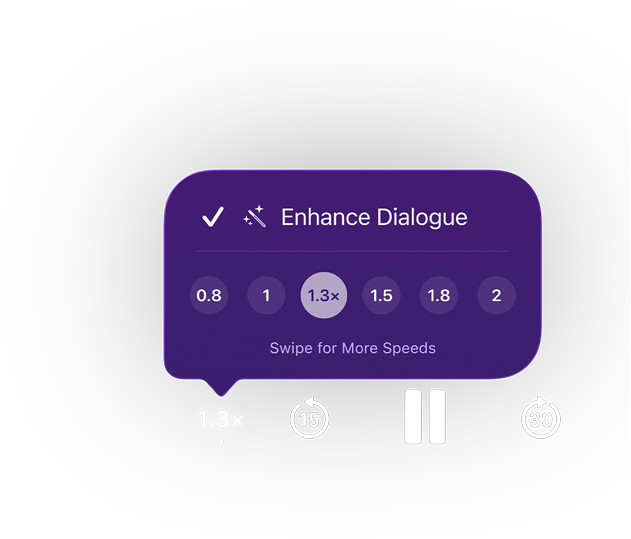
Use Enhance Dialogue to hear the voices in your shows more clearly.2 Adjust the playback speed to listen at your own pace. Slow it down to focus or speed it up to save time. And you can customize and save your preferred settings for different podcasts.

Apple Podcasts playback controls, a purple pop-up menu shows Enhance Dialogue enabled, playback speed set to 1.3x with options ranging from 0.8 to 2, text: Swipe for More Speeds, controls below include skip back 15 seconds, pause, and skip forward 30 seconds.

Catch up on your commute.

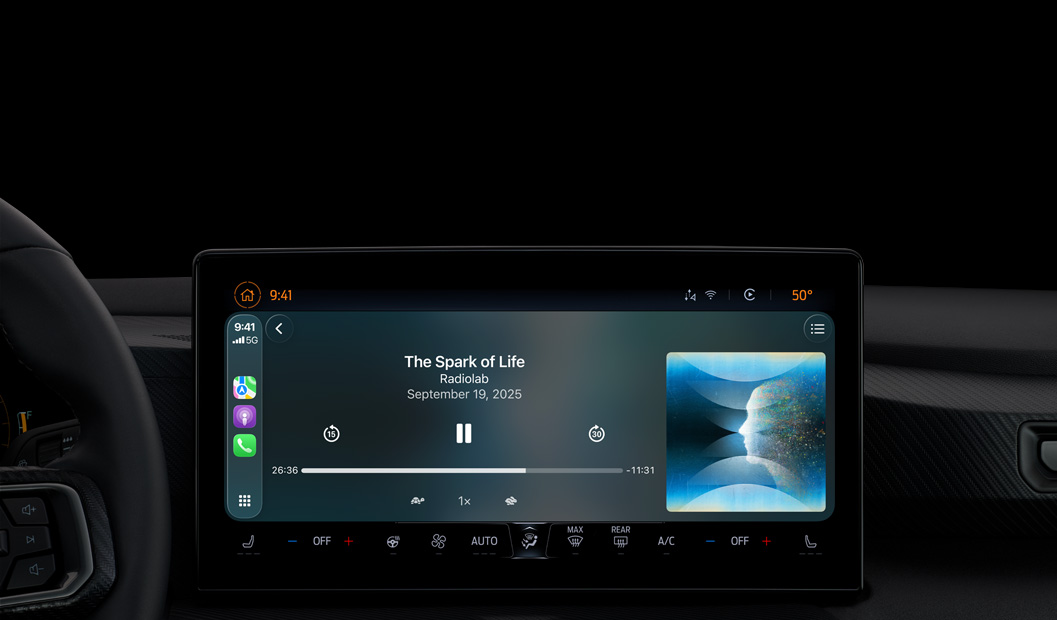
CarPlay lets you listen seamlessly from your iPhone in your car, bringing the same in‑depth experience to your vehicle’s built‑in controls.5 You can even ask Siri to play the latest episode or control playback. And Apple Podcasts comes preinstalled in select car models.

A car interior, center console display shows Apple Podcasts playing via CarPlay, now playing "The Spark of Life" podcast by Radiolab, playback controls include skip back, pause, and skip forward.
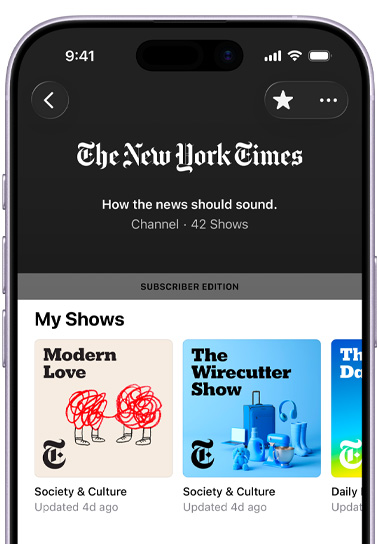
iPhone, front exterior, screen shows The New York Times channel in Apple Podcasts, text below reads: "How the news should sound," 42 shows, a Subscriber Edition banner sits above a My Shows section featuring "Modern Love," The "Wirecutter Show," and a partially visible third show, each categorized under Society & Culture

Subscribe
for even more
of what you love.

Unlock ad-free listening, bonus content, unreleased episodes, and more subscriber-only benefits from your favorite shows and creators.6 You can also connect your subscriptions from select apps on the App Store — as well as Apple News+ and Apple Music — to access all your premium audio content in one place.

Personalized
discovery.

Customized recommendations make it easy to find new shows based on what you already love.

Share your voice.
Find your audience.

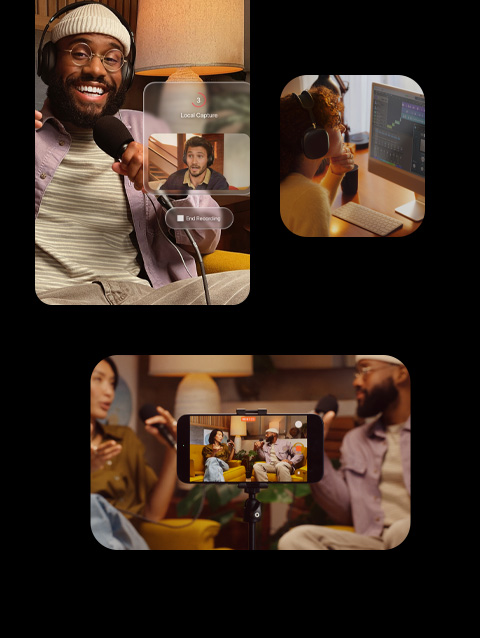
Apple Podcasts gives creators powerful tools to enhance production, track analytics, and connect with audiences through paid subscriptions. With resources for publishing and discovery, creators have everything they need to launch and grow their shows.

Three scenes of podcasters at work, above left, a smiling podcaster wearing headphones and holding a microphone, a second podcaster appears on a recorded screen, above right, a person wearing headphones editing podcast audio in the Logic Pro app, below, iPhone, front exterior, on a tripod, recording two podcasters seated in orange chairs, facing each other in a warmly lit space.

Stories that go
everywhere.

Find the Apple Podcasts app on all your favorite Apple devices or listen on the web at podcasts.apple.com. You can even download shows to your Apple Podcasts library and listen offline.

iPhone

CarPlay

HomePod

Mac

iPad

Apple Watch

Apple TV 4K

Apple Vision Pro

More places to listen.

Logo of Porsche
Logo of Amazon Alexa
Logo of Tesla

Questions? Answers.

  • Apple Podcasts is the best app for finding, following, and listening to millions of the world’s most popular podcasts. And you can easily discover new shows through expert curation and personalized recommendations.

  • Apple Podcasts is already installed on all your favorite Apple devices, including iPhone, Mac, iPad, Apple Watch, Apple TV 4K, and Apple Vision Pro. You can also listen with CarPlay, HomePod, a variety of smart speakers, and select car systems.

  • CarPlay lets you connect your iPhone to your car’s built-in display and is available in over 800 different models. CarPlay makes it easy to access Apple Podcasts on your vehicle’s touchscreen or with Siri. Apple Podcasts also comes preinstalled in select cars.

  • Apple Podcasts offers millions of shows completely free. And some publishers offer premium shows, episodes, and channels that can be purchased through a monthly or annual subscription.

  • Apple Podcasts Subscriptions is a global marketplace for you to discover premium subscriptions offered by your favorite creators. As part of your premium subscription, you get access to a variety of benefits curated by creators, such as access to additional content, ad-free listening, and early or exclusive access to new series.

  • Apple Podcasts automatically recognizes eligible subscriptions from the App Store and adds the corresponding episodes to your Apple Podcasts library. You can also connect your subscriptions manually by signing in to your account from an app’s channel page in Apple Podcasts.

  • All your subscriptions are managed in your account settings. In Apple Podcasts on iPhone and iPad, tap your profile on the Listen Now tab and select Manage Subscriptions. In System Settings on Mac, click Apple Account, then click Media & Purchases and select Subscriptions > Manage. For each subscription, you can switch from monthly to annual if it is offered. If you do not want to renew your subscription, you must cancel it at least a day before the renewal date. If you cancel, you can still access your subscription until the date displayed on the screen.

  • When you subscribe to a podcast, 70 percent of your subscription fee (minus applicable taxes) goes directly to the creator. Creators’ net revenue increases to 85 percent (minus applicable taxes) after a subscriber accumulates one year of paid service. Creators set the price for monthly or annual subscriptions, which include ad-free listening, early access, additional episodes, and more. 100 percent of other podcast revenue — including any ad revenue — goes to the creator.

  • Of course. You can share your Apple Podcasts subscriptions with up to five people through Family Sharing.7

  • Yes. You can download any podcast episode and listen to it offline. New episodes from shows you follow will be automatically downloaded. And you can find all your downloaded episodes in your library in the Downloaded section.

  • You sure can. If you want to create your own show and publish it on Apple Podcasts, check out the resources available at podcasters.apple.com.

The content you’re looking
for can’t be found.

This Apple Podcasts content requires
the latest operating system to play.